Run Ephemeris Generation
After configuring your study parameters, generate the ephemeris to populate the data grid with results.
How to Run
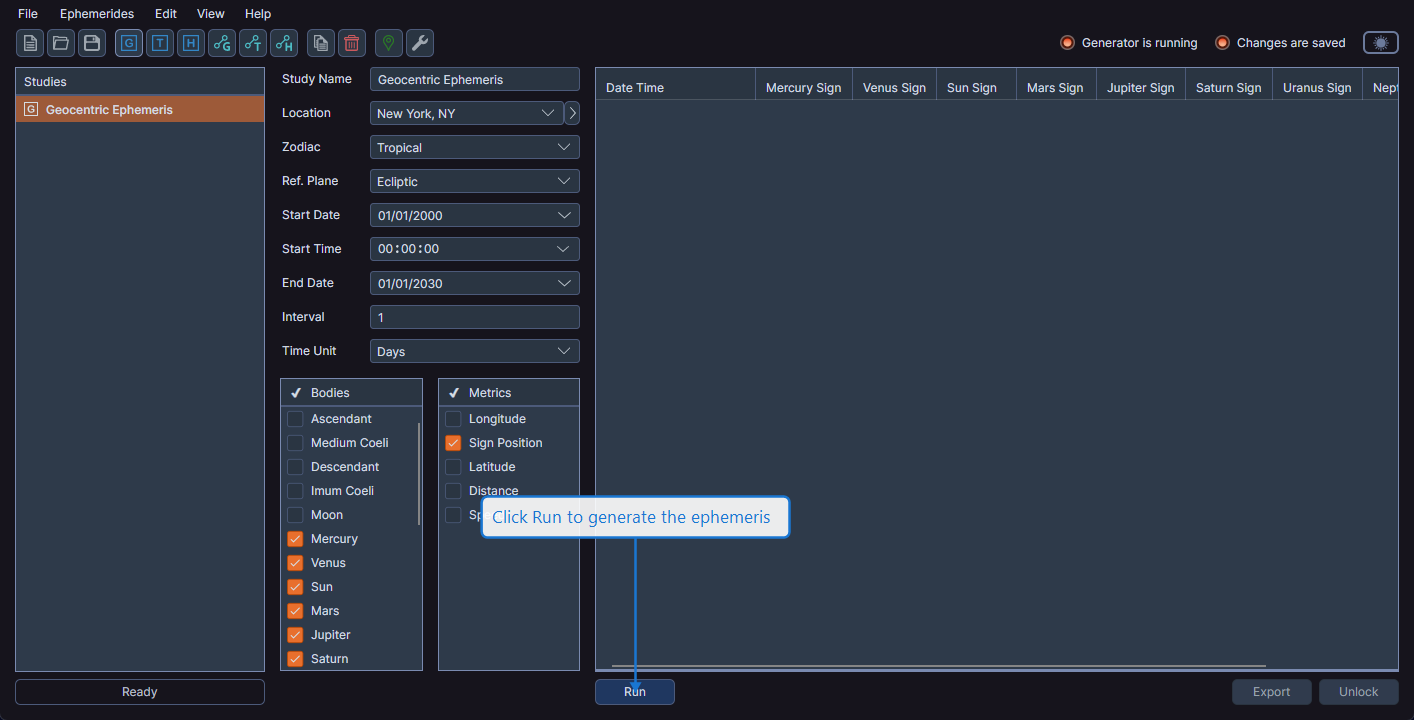
Click the Run button at the bottom-left of the study view. The button is enabled only when all required parameters are valid:
- A valid date range (start date is before end date)
- A positive interval value
- At least one celestial body selected (for aspect studies, at least one inner body and one outer body)
During Generation
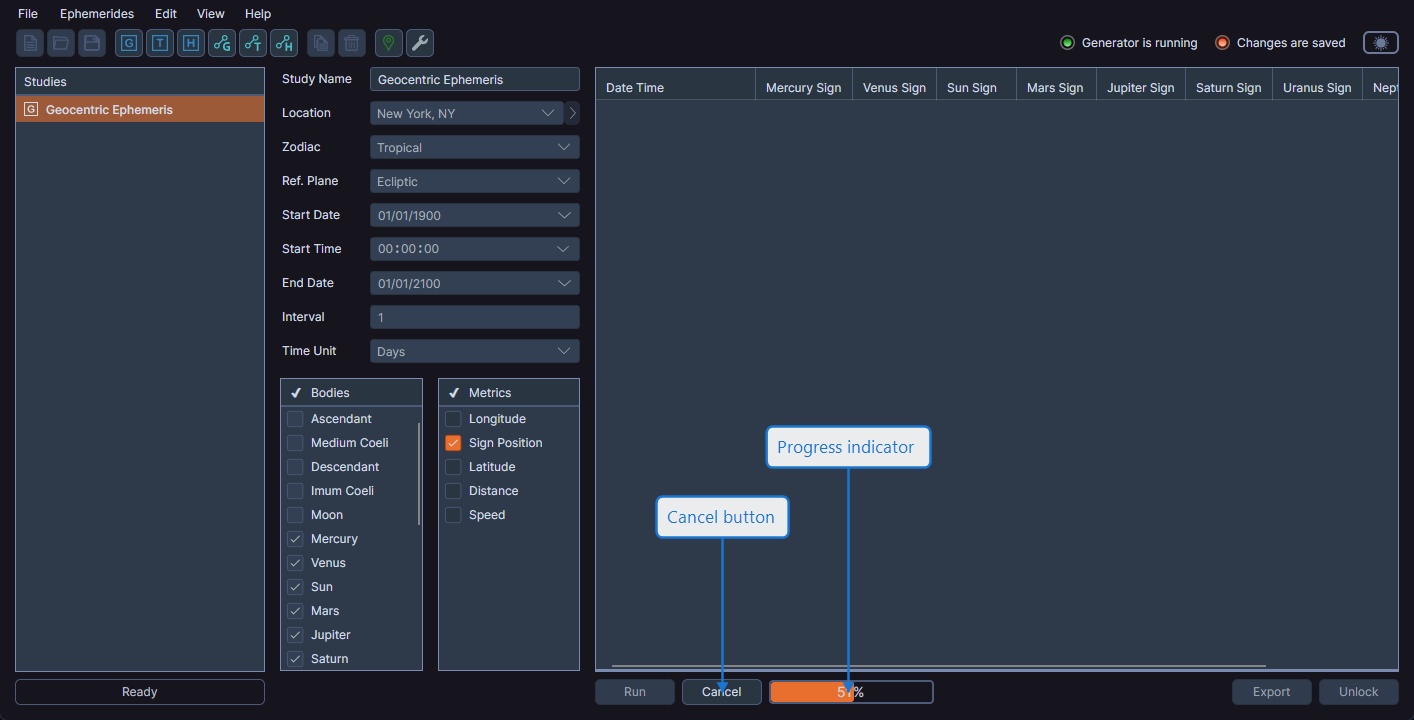
While the ephemeris is being generated:
- A progress indicator displays the completion percentage
- A Cancel button appears next to the progress indicator
- The activity indicator shows "Generation Started"
- The Generator Is Running status indicator lights up
After Generation
When generation completes:
- The data grid fills with the generated records
- The Run button becomes invisible (not merely disabled)
- The study locks to prevent accidental parameter changes
- The Unlock button becomes available
- The Find date picker and Export button appear
- The record count displays in the statistics bar
info
After generation completes, you cannot change study parameters until you unlock the study. This protects against accidentally modifying a configuration that produced important results. See Unlock Study for details.