Status Indicators
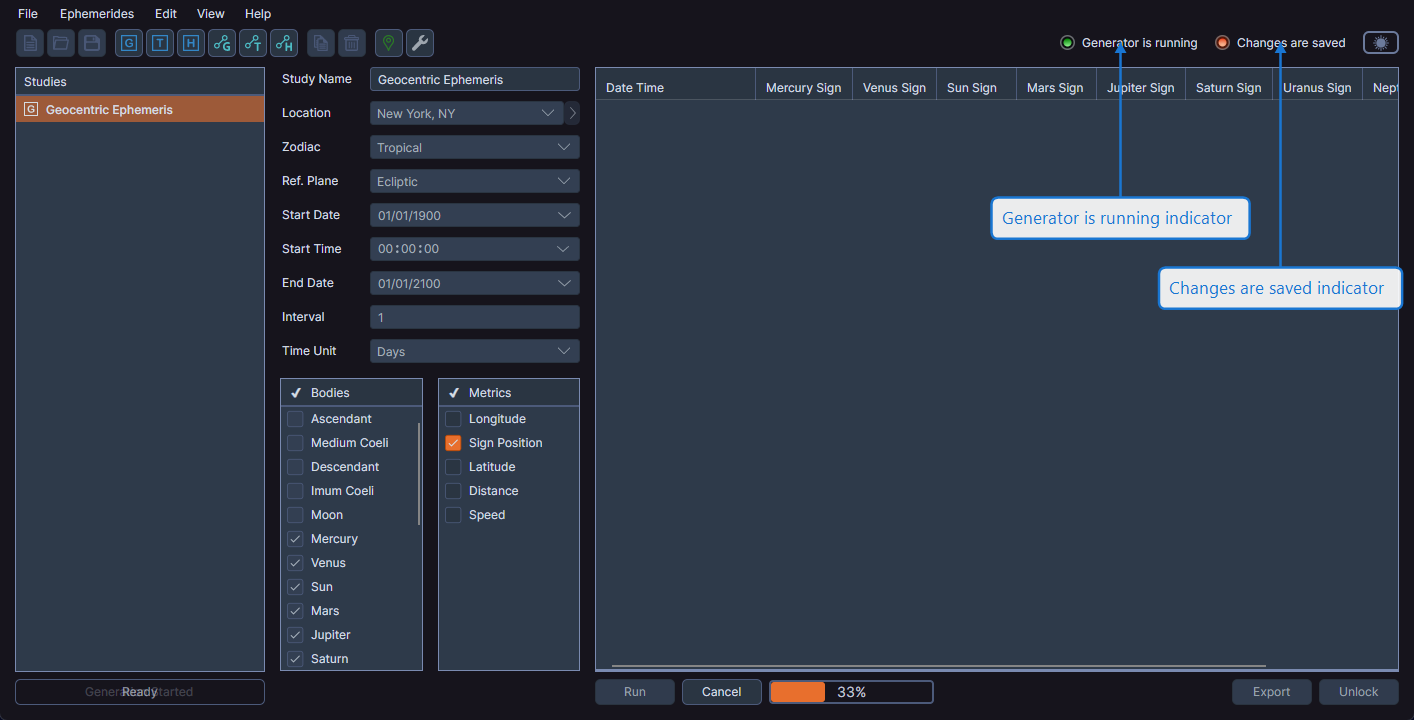
Cygnus displays two status indicators in the upper-right area of the toolbar that give you quick, at-a-glance information about the current state of your workspace.
Changes Are Saved Indicator
This indicator shows whether all changes in the workspace have been saved to disk. When lit, all changes are saved. When not lit, the workspace has unsaved modifications.
Generator Is Running Indicator
This indicator shows whether any study in the workspace is currently generating ephemeris records. It lights up when a generation operation is in progress and turns off when all generation operations are complete.
tip
If you see the generator running indicator lit but are unsure which study is generating, check the activity indicator below the studies list for more detail.