Working with Numeric Data Grids
Numeric data grids are used to create and display lists of aspects, hotspots, and arcs needed for different studies. You can manage the values in these data grids as follows:
-
Add a Value: Type a number into the text box below the table and press the
ENTERkey to add a value. You can also add a set of predefined values using the presets functionality -
Note on Entering Aspects: Aspects must be entered as cycle angles (0° to 360°)
- For trine aspects (waxing and waning), enter both
120and240 - For only waxing trines, enter just
120
- For trine aspects (waxing and waning), enter both
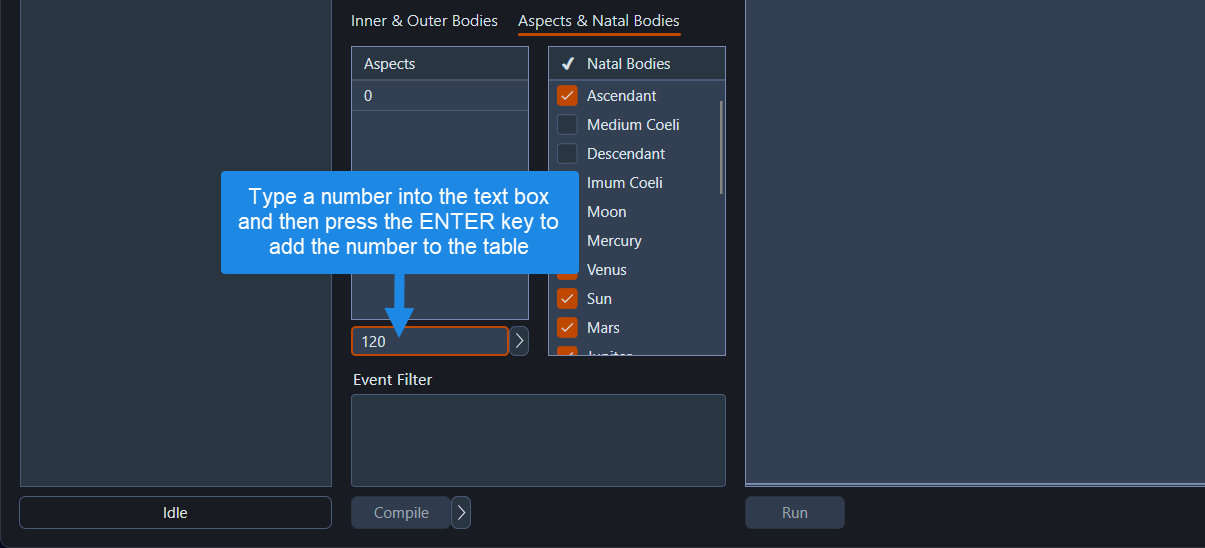 Adding values to numeric data grids
- Edit a Value: To edit a value, click the row containing the value to select it and then click on the row/cell again to enter edit mode
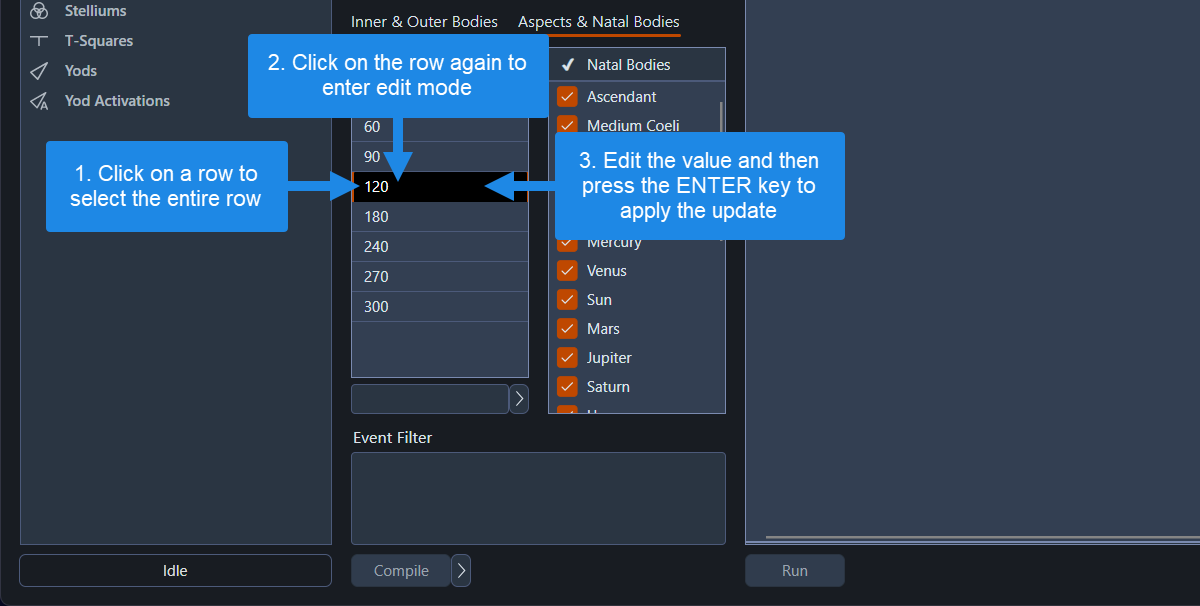 Editing values in numeric data grids
- Select a Range of Rows: Click on a row, then hold the
SHIFTkey down while clicking on another row. This selects all rows in the range
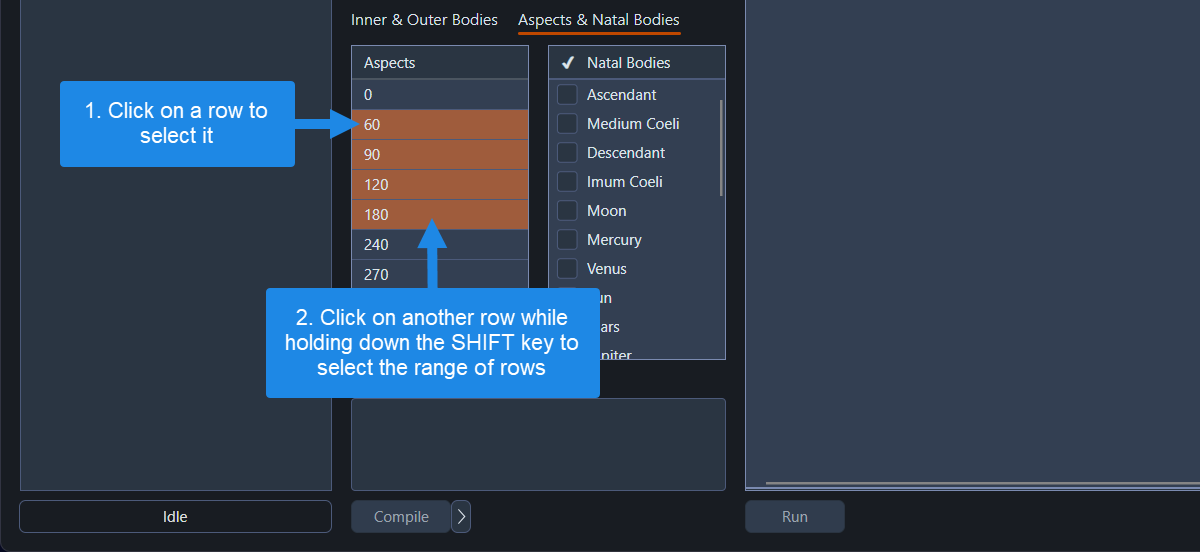 Selecting a range of rows in numeric data grids
- Select All Rows: Click on a row to select it, and then press
CTRL+Ato select every row in the list
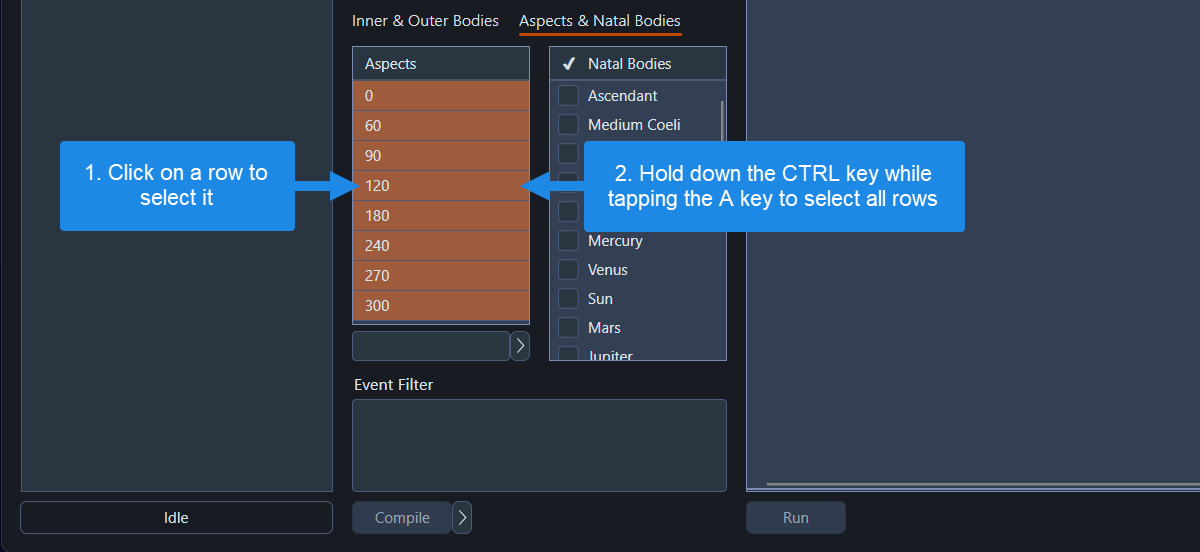 Selecting all rows in numeric data grids
- Delete Rows: Select one or more rows and press the
DELkey on your keyboard to remove them