Selecting Celestial Bodies
Lists of selectable bodies are used to define which bodies will be included in a given study. You can manage the values in these lists as follows:
- Selecting Individual Bodies: Clicking directly on the checkbox to the left of the body name will select a body that currently isn't selected or deselect a body that is currently selected.
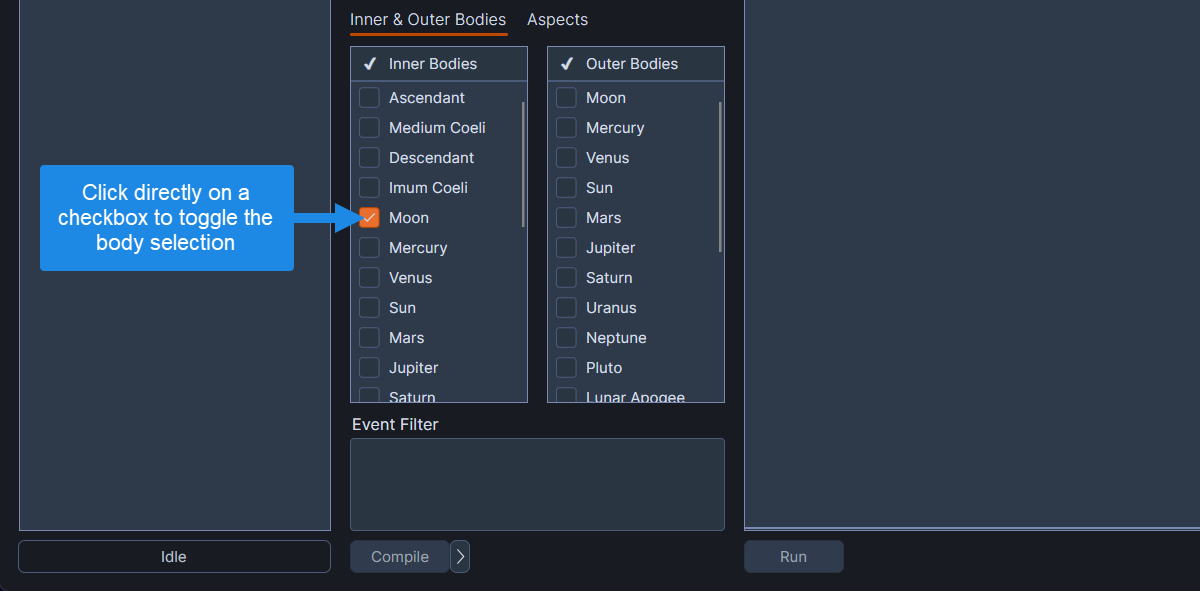 Selecting individual bodies
- Selecting a Range of Bodies: Click on a body name (not the checkbox), and then hold the
SHIFTkey down while clicking on another body name. This highlights all bodies in the range. Once the desired range of bodies is highlighted, right-click on the range and click on either Select or Deselect on the context menu.
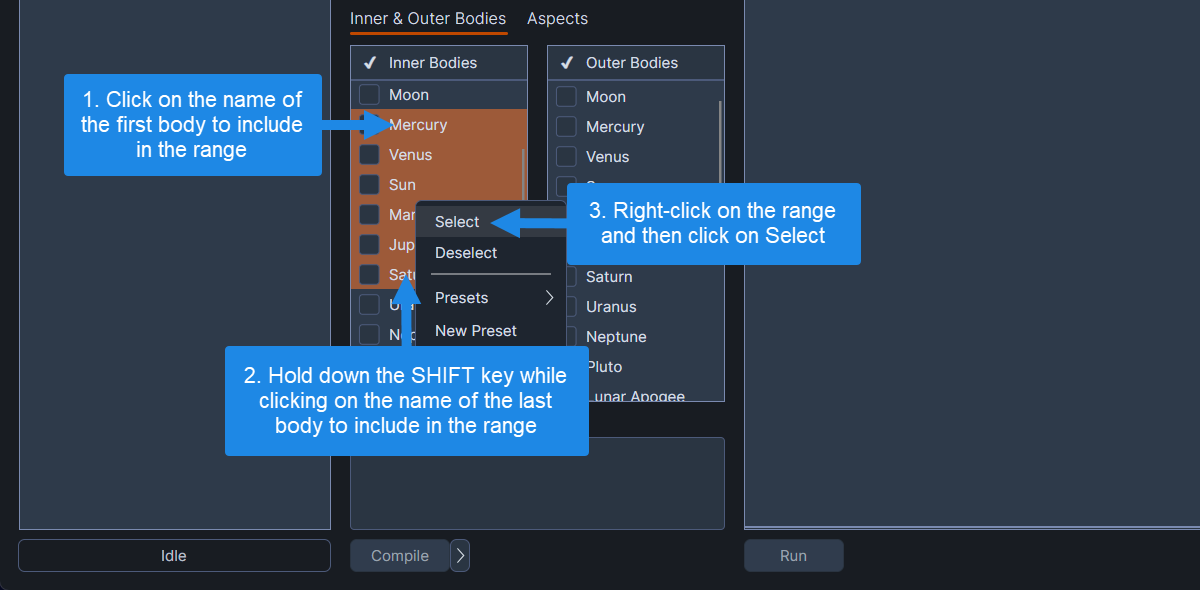 Selecting a range of bodies
- Selecting Multiple Non-Contiguous Bodies: In addition to selecting a range of bodies, multiple non-contiguous bodies can be selected by holding down the
CTRL/Cmdkey while left-clicking on body names. After highlighting the bodies to include in the study, right-click on one of the selections or ranges and choose either Select or Deselect on the context menu.
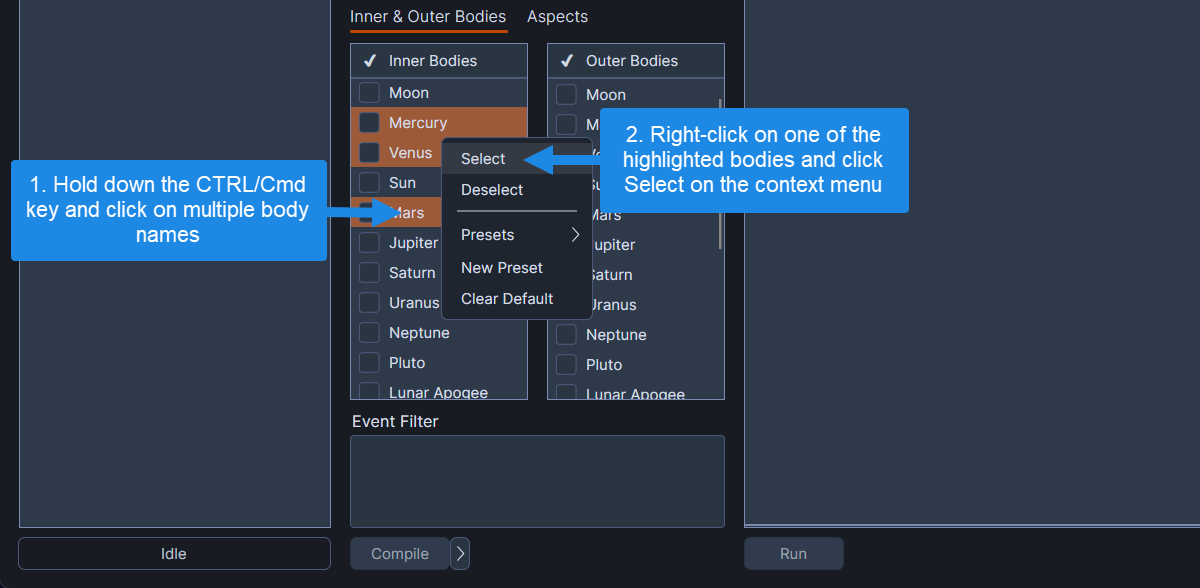 Selecting multiple non-contiguous bodies
- Selecting All Bodies: Click on any body name, and then press
CTRL+A/Cmd+Ato highlight every body in the list. Right-click on the range and choose either Select or Deselect on the context menu.