Celestial Body Selection
Select which celestial bodies (planets, luminaries, nodes, and asteroids) to include in your ephemeris. The generated data grid contains position columns only for the bodies you select.
Standard Ephemeris Studies
In standard ephemeris studies (Geocentric, Topocentric, Heliocentric), there is a single Bodies list in the configuration panel.
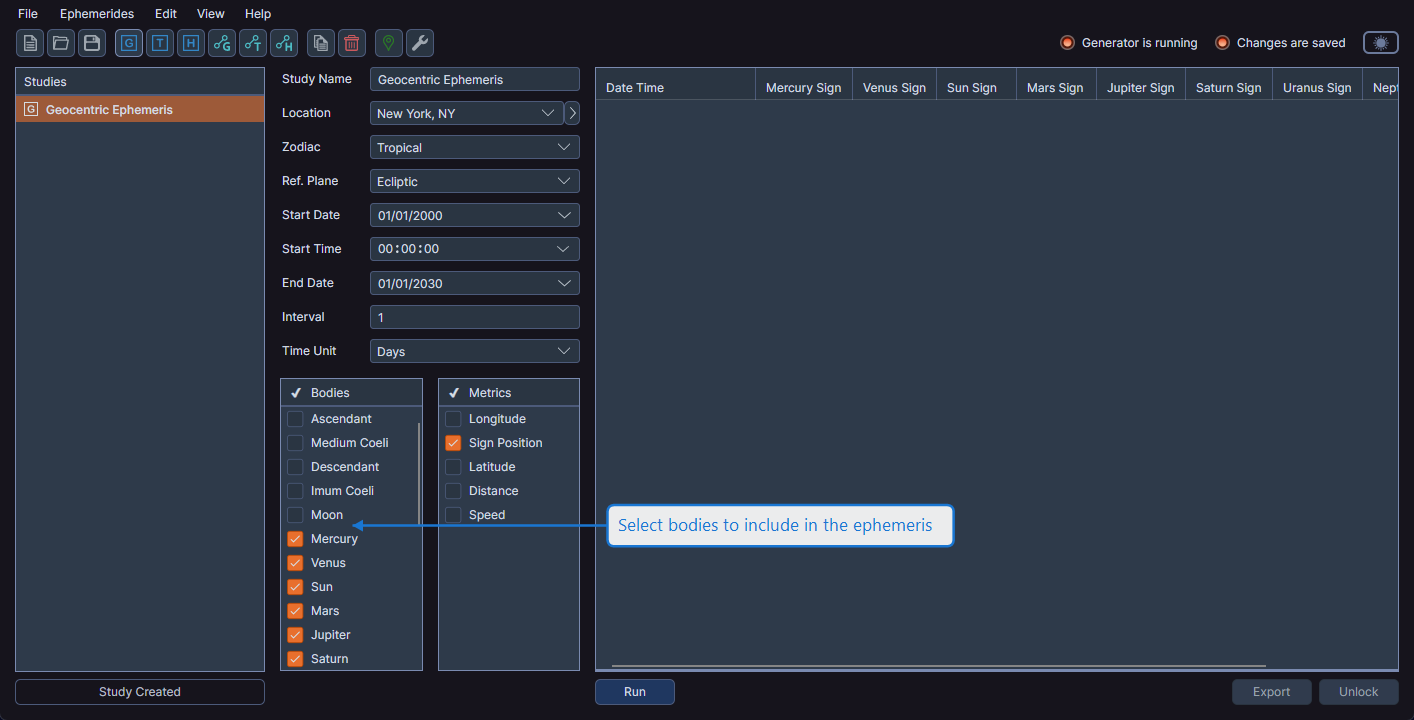
Selecting and Deselecting Bodies
Right-click on any row in the Bodies list to open a context menu with options to:
- Select highlighted bodies
- Deselect highlighted bodies
You can highlight multiple bodies before right-clicking to select or deselect them as a group.
Select at least one body before generating the ephemeris. The Run button remains disabled until at least one body is checked.
Aspect Ephemeris Studies
Aspect ephemeris studies have two separate body lists on the Inner & Outer Bodies tab:
- Inner Bodies -- Faster-moving celestial bodies (e.g., Moon, Mercury, Venus)
- Outer Bodies -- Slower-moving celestial bodies (e.g., Jupiter, Saturn, Pluto)
The data grid generates aspect columns for every combination of selected inner and outer bodies. At least one inner body and one outer body must be selected.
For details on selecting bodies in aspect studies, see Geocentric Aspect Ephemeris.
Available Bodies
The available bodies vary based on the study's coordinate origin. For example, the Sun is not available as a body in heliocentric studies since positions are calculated from the Sun's viewpoint.
Body List Presets
You can save and apply body selection presets to quickly apply common selections across studies. Right-click on any row in the Bodies list to access preset options in the context menu. See Body List Presets for details.