Ephemeris Metric Selection
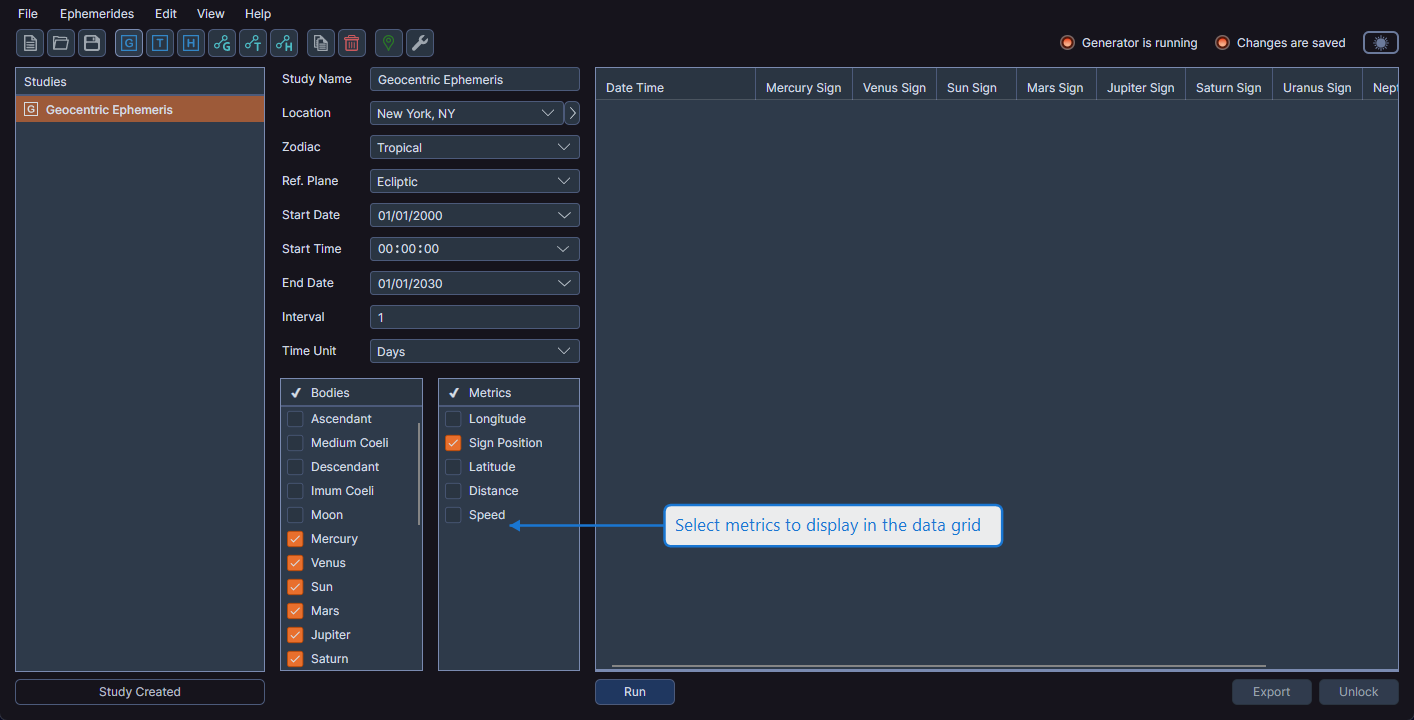
Select which positional metrics appear as columns in the generated ephemeris data grid. Each metric produces a column for every selected body.
Metrics List
In standard ephemeris studies, the Metrics list appears alongside the Bodies list in the configuration panel. In aspect studies, body metrics appear on the Body & Aspect Metrics tab under Body Metrics.
Selecting and Deselecting Metrics
Right-click on any row in the Metrics list to open a context menu with options to select or deselect highlighted metrics.
Available Metrics
The following metrics are available for each selected body:
| Metric (Ecliptic) | Metric (Equatorial) | Description |
|---|---|---|
| Longitude | Right Asc | Position along the primary coordinate |
| Sign Position | Sign Position | Position expressed as sign and degree |
| Latitude | Declination | Position along the secondary coordinate |
| Distance | Distance | Distance from the coordinate origin |
| Speed | Speed | Rate of motion along the primary coordinate |
Metric names automatically update when you change the reference plane between Ecliptic and Equatorial. For example, "Longitude" becomes "Right Asc" and "Latitude" becomes "Declination" when Equatorial is selected.
Initial Visibility vs. Calculated Data
Selecting or deselecting metrics before generation only affects which columns are initially visible in the data grid. All metrics are always calculated regardless of your selection. After generation, you can show or hide any column using the column visibility toggle.