Date Range Configuration
The date range defines the time window over which Cygnus generates ephemeris records. You set a start date and time for the first record and an end date for the last record.
Date Range Fields
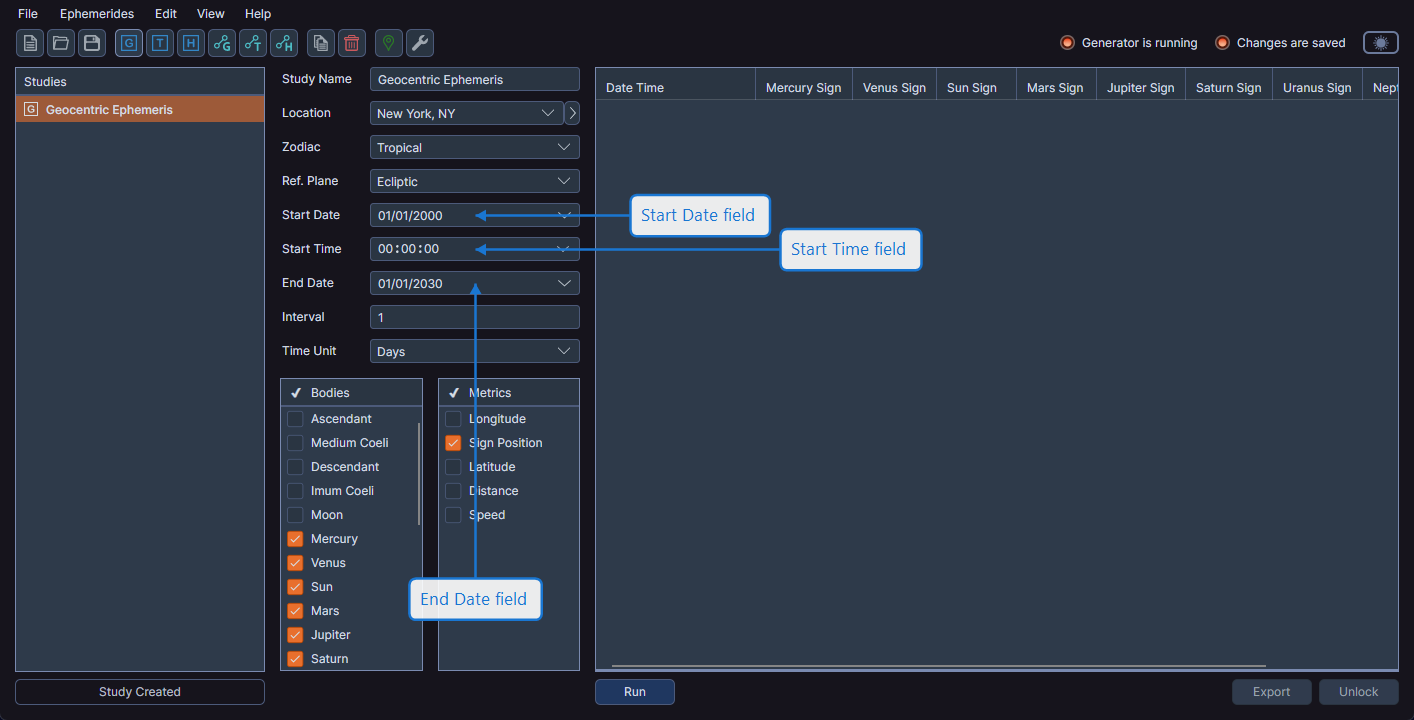
Every ephemeris study has three date/time fields in the configuration panel:
- Start Date -- The date of the first ephemeris record
- Start Time -- The time of day for the first record (e.g., 00:00:00 for midnight)
- End Date -- The date of the last ephemeris record
Entering Dates
Use the date picker controls to set start and end dates. You can type a date directly into the field or use the calendar popup to select a date visually. The time picker allows you to set the start time with hours, minutes, and seconds.
Validation
The Run button is enabled only when the start date is earlier than the end date. If the end date is the same as or earlier than the start date, Cygnus disables the Run button.
For a single-day ephemeris at multiple time points, set the start and end dates to the same day and use a time-based interval (e.g., every 1 Hour). The start time determines when the first record begins.