Geocentric Aspect Ephemeris
A Geocentric Aspect Ephemeris study extends the standard geocentric ephemeris by including angular relationships (aspects) between pairs of celestial bodies. In addition to positional data, you can track cycle angles, phase, and separation between selected body pairs over time.
Creating a Geocentric Aspect Ephemeris Study
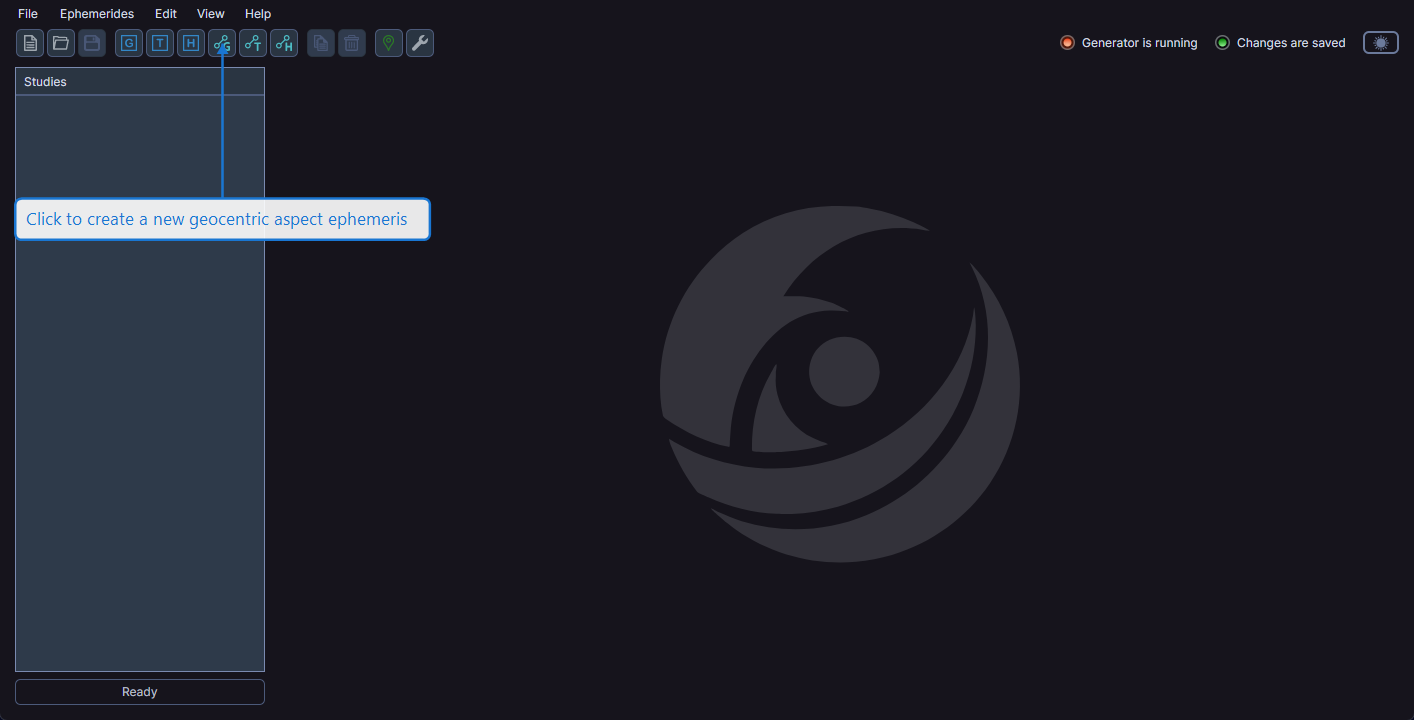
You can create a new Geocentric Aspect Ephemeris study in either of these ways:
- Click the Geocentric Aspect Ephemeris button on the toolbar
- Select Ephemerides > Geocentric Aspect Ephemeris from the menu
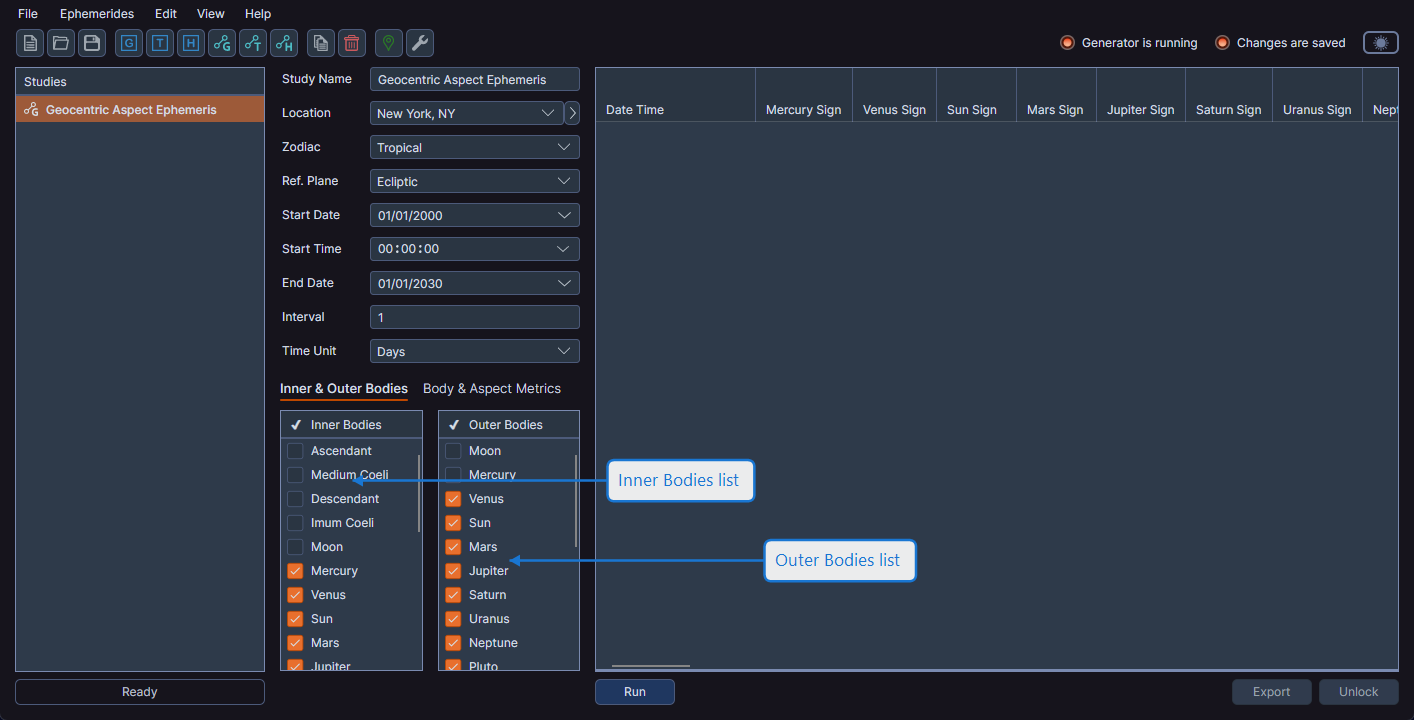
Tabbed Configuration
Aspect ephemeris studies use a tabbed interface for body and metric selection, which differs from standard ephemeris studies.
Inner and Outer Bodies Tab
The first tab, Inner & Outer Bodies, contains two body lists side by side:
- Inner Bodies (left) -- Faster-moving celestial bodies
- Outer Bodies (right) -- Slower-moving celestial bodies
You must select at least one inner body and one outer body to generate aspects. The data grid displays aspect data for each combination of selected inner and outer bodies.
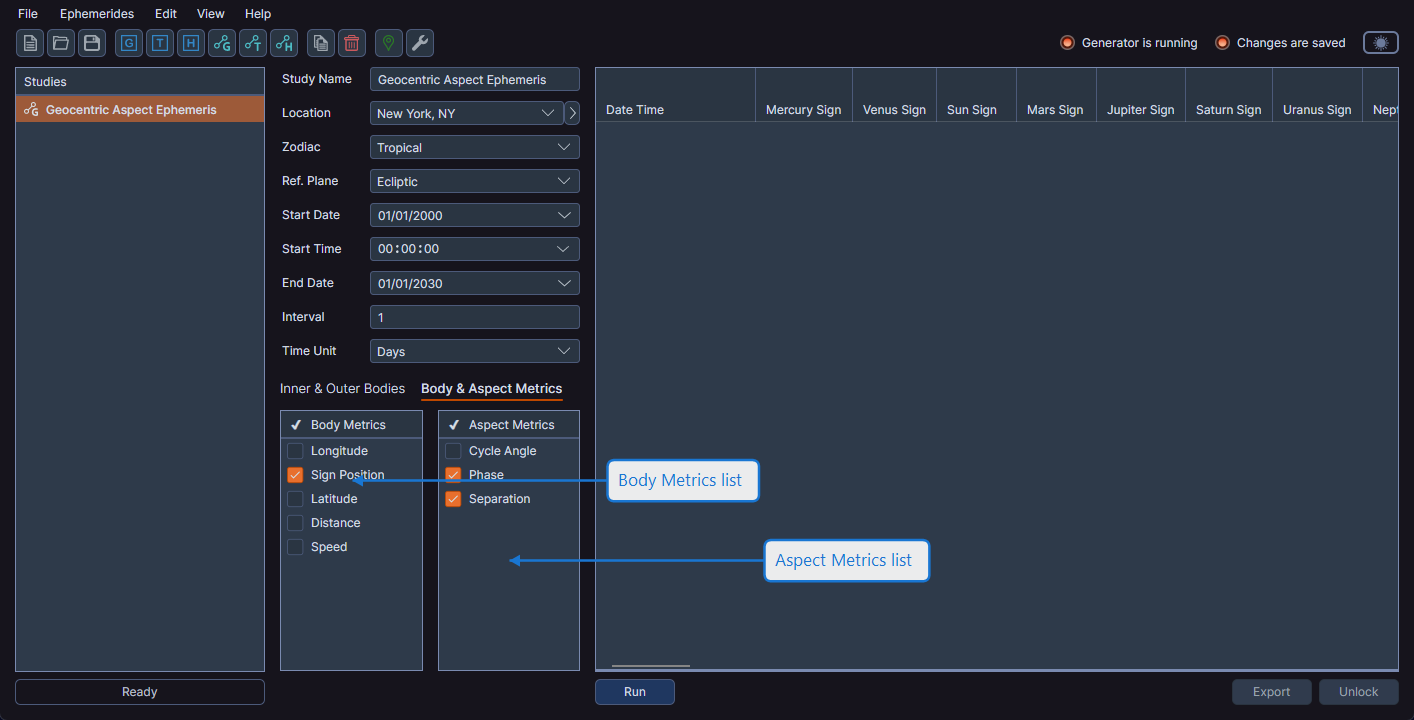
Body and Aspect Metrics Tab
The second tab, Body & Aspect Metrics, contains two metrics lists:
- Body Metrics (left) -- Positional metrics for each body (Longitude, Latitude, etc.)
- Aspect Metrics (right) -- Angular relationship metrics for body pairs (Cycle Angle, Phase, Separation)
To see aspects between two specific bodies in the data grid, select one inner body and one outer body only. Selecting multiple bodies in each list produces aspect columns for every combination, which can make the data grid very wide.
Generating the Ephemeris
Configure the date range, interval, and body/metric selections, then click the Run button. The generated data grid includes both positional columns for each selected body and aspect columns for each inner-outer body pair.