Find Record by Date
Quickly navigate to a specific point in time within a large generated ephemeris without manually scrolling through hundreds or thousands of records.
How to Find a Record
After generation completes, a date picker and Find button appear at the bottom-left of the study view:
- Enter a date in the Find date picker
- Click the Find button or press Enter
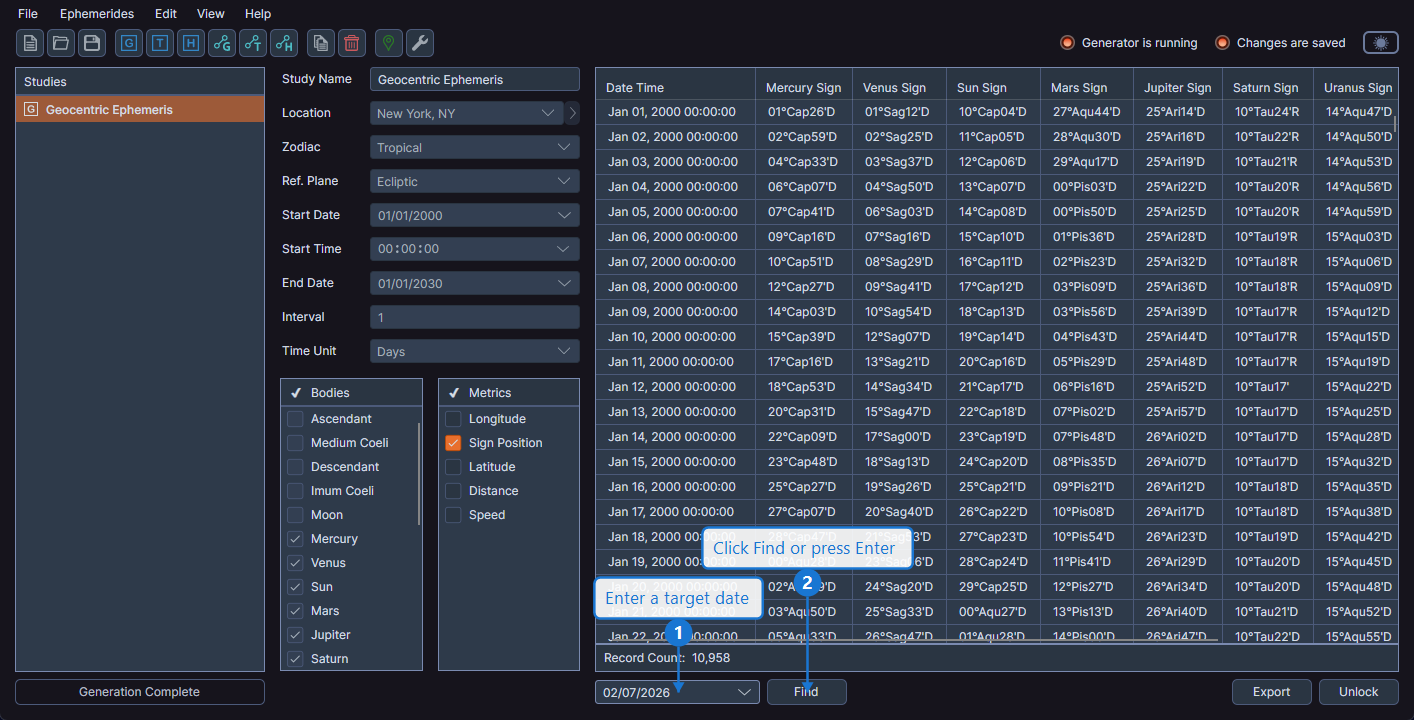
The data grid scrolls to and selects the record nearest to the specified date.
Nearest Match
If the exact date you entered does not match any record (because it falls between two records), Cygnus selects the record closest to the entered date.
The Find feature is especially useful for large ephemerides spanning many years. Instead of scrolling through thousands of rows, enter the approximate date and jump directly to that section of the data.
Availability
The Find date picker and Find button are visible only after a study has completed generation. They are not available while a study is in configuration mode or during generation.