Export Records to CSV
Export your generated ephemeris data to a CSV (Comma-Separated Values) file for use in spreadsheet applications, data analysis tools, or other external software.
How to Export
After a study has completed generation:
- Click the Export button at the bottom-right of the study view
- A save file dialog prompts you to choose a location and filename for the CSV file
- Click Save to write the file
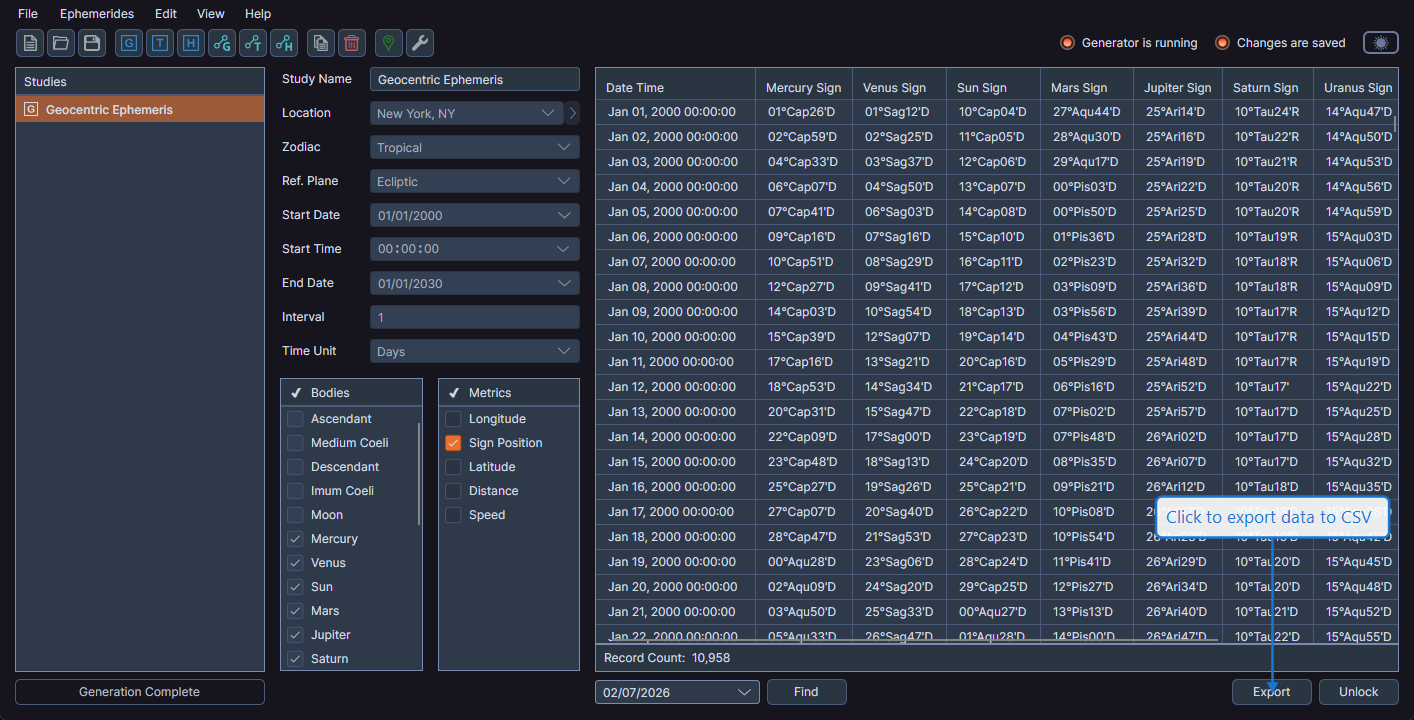
Export Contents
The exported CSV file includes:
- Column headers matching the visible data grid columns
- All generated records in chronological order
- Data formatted consistently for easy import into other tools
Column Visibility and Order
The export respects your current data grid column settings:
- Hidden columns are excluded -- Only visible columns are exported
- Column order is preserved -- Columns appear in the same order as in the data grid
tip
Before exporting, adjust the column visibility and order in the data grid to match the output you want. Hide columns you do not need in the export, and reorder columns by dragging headers to arrange them as desired.
Opening the CSV File
The exported CSV file can be opened in:
- Spreadsheet applications (Microsoft Excel, Google Sheets, LibreOffice Calc)
- Text editors
- Data analysis tools (Python, R, etc.)
- Any application that supports CSV import