About Dialog
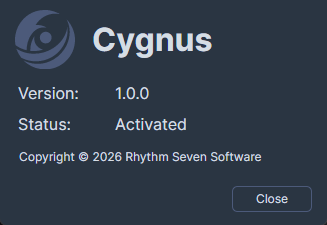
The About Dialog displays essential information about your Cygnus installation, including the version number and license activation status.
Opening the About Dialog
Select Help > About Dialog from the menu.
Displayed Information
The About Dialog shows:
- Cygnus logo and application name
- Version number -- The installed version of Cygnus
- Activation status -- One of the following:
- Activated -- The license is active
- Trial -- The application is running in trial mode, with the number of remaining days displayed
- Not Activated -- No license is active and the trial has expired
- Copyright notice -- Copyright information for Rhythm Seven Software
A loading spinner appears briefly while the license status is being determined. Once the status check completes, Cygnus displays the activation status text.
info
When running in trial mode, the application also displays a trial status message in the title bar area showing the number of remaining days.